Improving the usability of the risk identification and assessment module once again

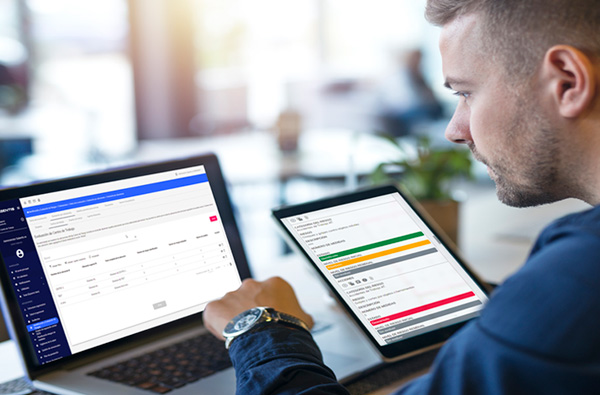
Improving the usability of the risk identification and assessment module again: The risk identification and assessment module – an essential module accessed daily by specialists in OSH management – has been updated to optimize the specialists’ day-to-day work.

User experience is a top priority for Sabentis, so delivering an update that simplifies our clients’ daily work is always a motivating goal. The update to the risk identification and assessment module—an essential module used daily by occupational health and safety (OHS) specialists—is designed to streamline and optimize their daily tasks.
Improving the usability of the risk identification and assessment module once again
This new update from Sabentis developers incorporates improvements to this module, such as an interface that provides an overview of the assessment status by location. This helps identify the most critical locations by displaying the number of risks identified and assessed, as well as the number of corrective actions defined for each location.
The module has also been equipped with new tools for exporting assessments between locations and copying them in their entirety. This streamlines the entire assessment process between similar locations and allows for the creation of new assessments based on existing ones. Below, we detail the updates that facilitate daily work within a module that, for example in Spain, enables compliance with Article 23.1 a) of the Occupational Risk Prevention Law and Royal Decree 39/1997. Both laws require employers to document risk assessments and keep them available for the labor authority. The usability of the risk identification and assessment module has been further improved: These enhancements expedite the generation of the risk identification and assessment report.
1. New fields in the ‘Evaluation Data’ form
- Location type: Allows you to determine whether the evaluation will be carried out throughout the company or by work centers.
- “ Reviewed by ”: Determines who will review the assessment in order to comply with ISO standards.
- “ Approved by ”: Determines who will approve the assessment in order to comply with ISO standards.
2. Evaluation by location and visualization of evaluation
The updated ‘Risk Identification and Assessment’ module now displays a list of all assessed locations of that type when accessing the location sub-tabs. This list includes information about the assessment of each location, such as the total number of hazards identified, the number of risks assessed, and the number of mitigation measures implemented. This list provides the user with a visual overview of their assessed locations. The location-based assessment allows users to generate a risk report for each location with a single click.
To access each completed evaluation, simply click on the “View evaluation” option in the list. The rigor is increased by applying methodologies such as NTP-330.
On the other hand, the ” Delete ” option erases the entire location evaluation so that it can be performed again from the beginning.
It is important to note that locations with no identified hazards are not shown in the list.
3. Export location evaluations
Another innovation introduced is that within the evaluation of a location, two new buttons are displayed: “ Export evaluation ” and “ Export evaluation to another company ”.
Export assessment: allows you to copy the IPER (Identification of Hazards and Risk Assessment) and measures from the current location to any location of the same type within the company.
Export assessment to another company: allows you to copy the IPER and measures from the current location to any location of the same type from an external company.
4.- Duplicate the location evaluations
The duplicate action creates a new evaluation while keeping all the information from the current one.
The information from the assessment that will be duplicated in the new assessment is as follows:
- Risk identification.
- Risk assessment.
- Preventive/corrective measures.